

Founded in 2015, trusted by 1000s of sellers. See testimonials & 100+ of our 5-star reviews
Walmart Marketplace Approval Guide (2026)
How to Apply, Avoid Common Mistakes, and Get Accepted

Common Mistakes
Avoid the most common mistakes.
Requirements
What you need to qualify and get approved.
How to get approved
Step-by-step guide to completing your application.
Need help with your Walmart application?
“’I’ve worked with Walmart sellers for more than 10 years. I can review your application, help you avoid common mistakes, and guide you through the process.”
—Daniel Sodkiewicz, Co-founder of GeekSeller
Eligibility Requirements
First, let’s see if your company is eligible to apply and what your chances are of getting approved.
This guide is for U.S. sellers applying to sell on Walmart US. For international sellers who want to sell on Walmart US, see this guide.
Walmart Marketplace allows third-party sellers to list products on Walmart.com, reaching millions of customers across the U.S. To join, you need to apply and meet certain requirements.
Documentation
- Copy of a Personal ID
- US phone number
- A company-branded email address; do not use personal accounts like Gmail or Yahoo
- Business Tax ID(s) or Business License Number (SSN is not accepted)
- Know your Business entity classification
- Supporting documents that verify your Business Name and Address (company incorporation documents, utility bills, rent or lease)
- Recent Tax Returns.
- You’ll need to provide proof that you own the inventory you sell, since Walmart does not allow dropshipping. Acceptable documentation may include warehouse photos, invoices, or brand registration papers. If you resell products, make sure you have invoices showing that you purchase items in bulk.
Experince
- Proven eCommerce experience – To be approved, you’ll need to demonstrate a solid track record of selling on other marketplaces (such as Amazon or eBay) or through your own online store (Shopify, WooCommerce, BigCommerce, etc.).
- You need to have legitimate reviews you can showcase. Ideally, you already have an established brand on Amazon with products that have strong reviews. This is one of the easiest ways to demonstrate the quality of your products. If you don’t have this yet, we strongly recommend building up a solid number of positive reviews before applying to Walmart Marketplace.
- While not an official requirement, as a general rule of thumb, your business should have at least one year of operations (with one completed tax return) and generate around $300,000 in annual online sales.
Inventory and Warehouse
- Catalog that complies with Walmart’s Prohibited Products Policy and products that have GTIN/UPC GS1 Company Prefix Numbers. If products you sell exist already on Walmart.com and are sold by other sellers, you can simply join the listings, but if you sell your own brand not listed yet on Walmart you will need UPC codes, compliant product images, descriptions etc.
- You’ll need to provide proof that you own the inventory you sell, since Walmart does not allow dropshipping. Acceptable documentation may include warehouse photos, invoices, or brand registration papers. If you resell products, make sure you have invoices showing that you purchase items in bulk.
- U.S. warehouse or 3PL partner capable of shipping orders across the U.S. (even if you are planning to use Walmart Fulfillment Services – WFS, you still need some address to for example receive returns).
Step 1: Create Walmart Seller Account
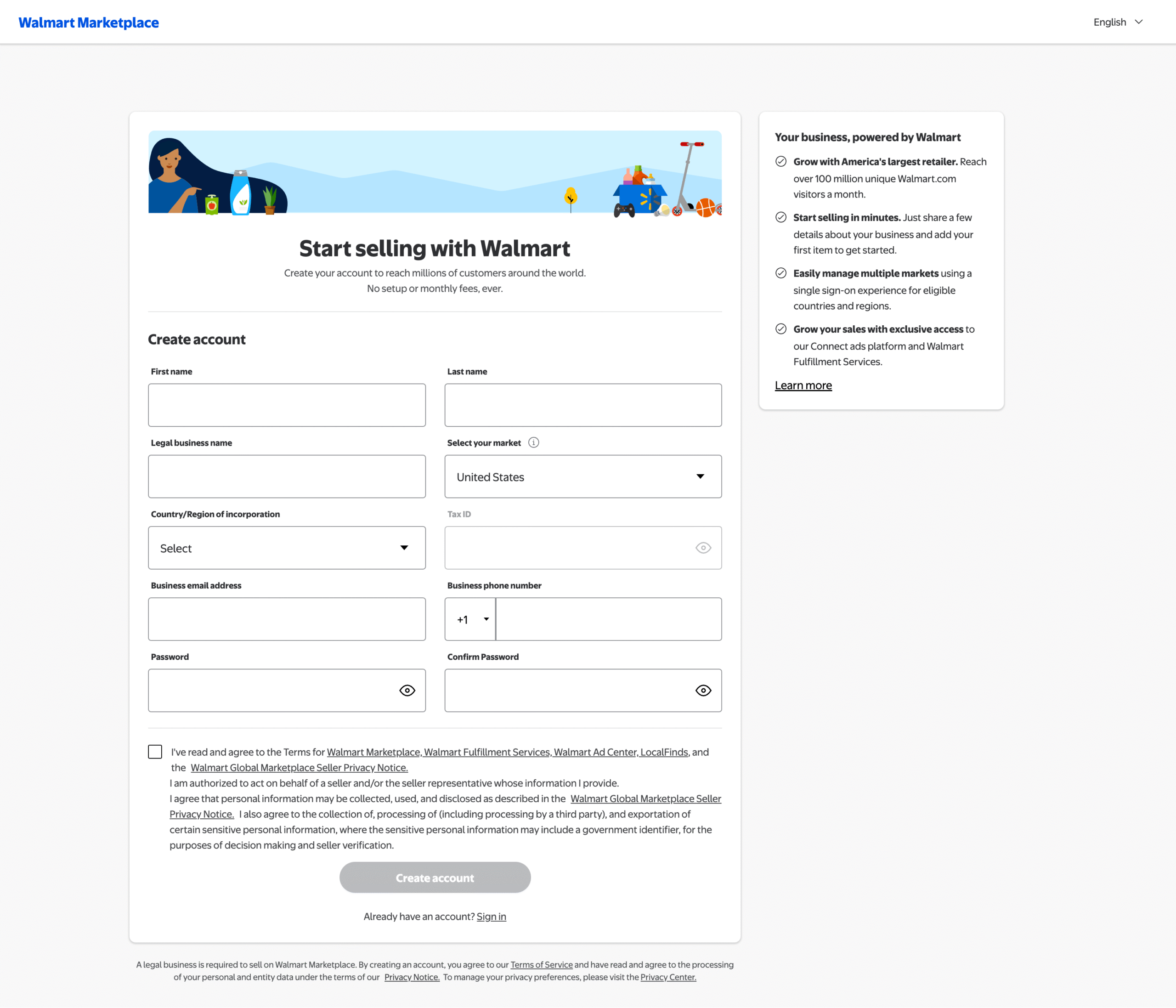
The process is as follows: First, create a Walmart Marketplace account. This will give you access to the Walmart Seller Center, where you’ll complete the application by providing your business information and uploading the required documents.
Click the button below to create your account.
On this page, you will only create the Seller Center account, yet this is a very important step.
- Ensure that the phone number you provide is the US phone number.
- Use your business email address; do not use @Gmail.com, @Yahoo.com, or any other similar providers.
- Business address, your name, and your business name should be provided accurately. Make sure all information entered here can later be verified with your supporting documents. Enter your name exactly as it appears on your ID, and enter your company name and business address exactly as they appear on your incorporation documents.
Step 2: Set up your account
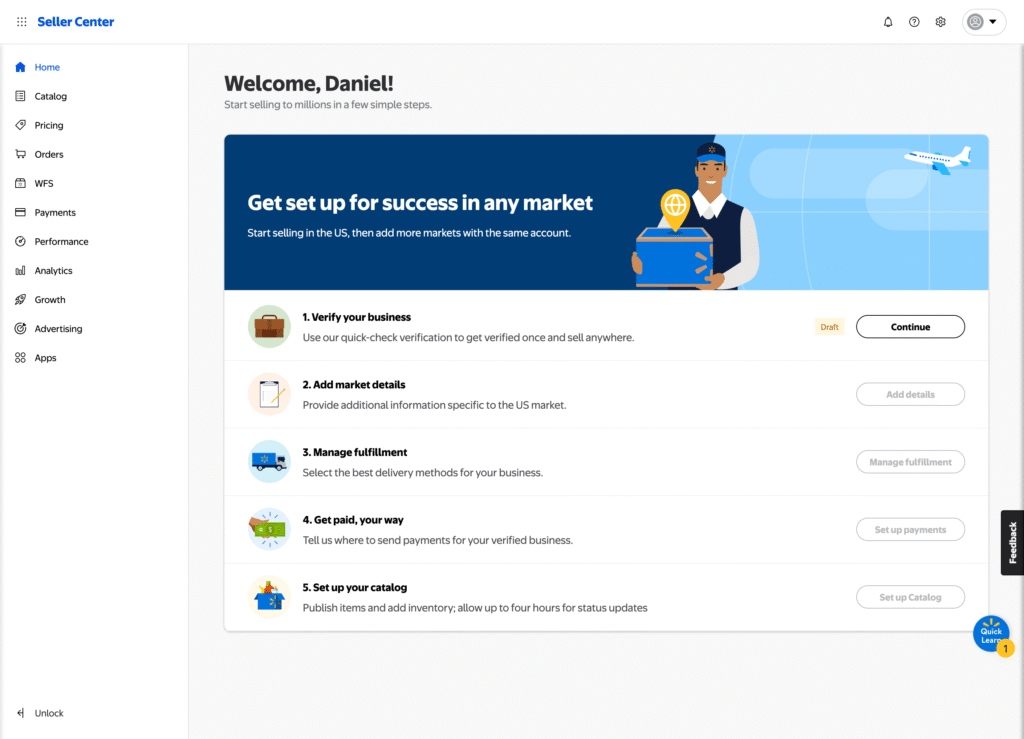
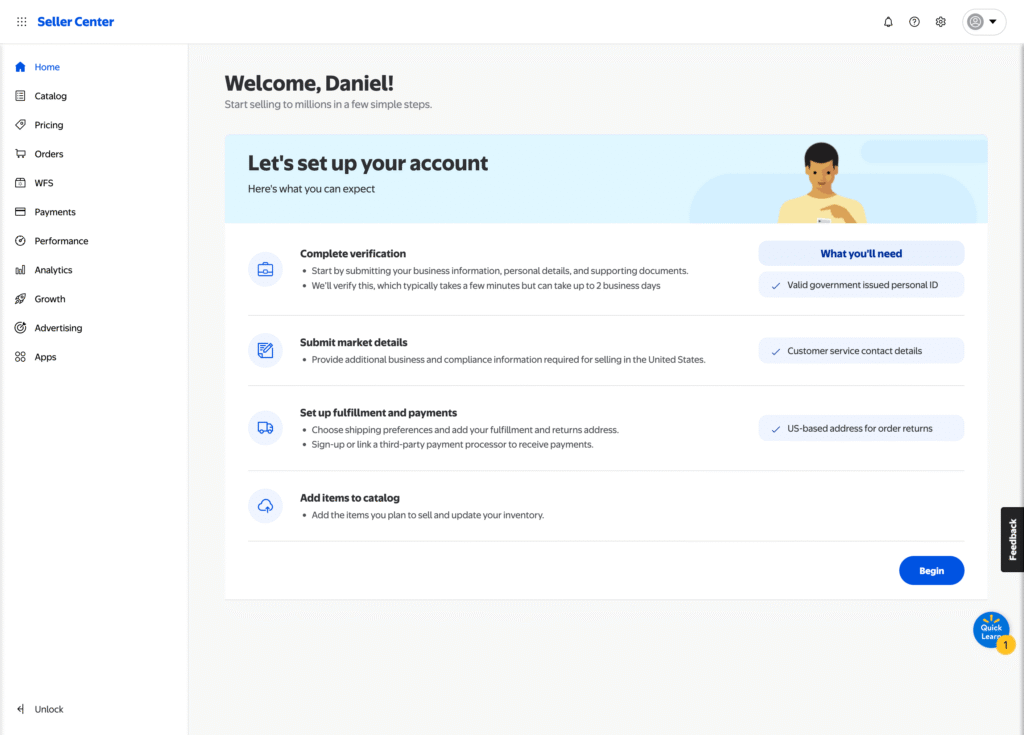
The actual application process begins in Seller Center. After clicking the Begin button, you’ll be guided through several pages to complete your application.
- Prepare Required Information
- Collect documents mentioned in the Eligibility Requirements section above
- You should submit all required documents, but avoid including anything that wasn’t requested, as it may cause confusion for the reviewer
- Ensure that the information you provide in your application matches your supporting documents exactly. Using the same spelling for your company name and formatting your address as shown on your documents will help avoid delays or confusion.
- Wait for Review
- Walmart reviews applications (may take 2–4 weeks). This time is much faster if you apply with GeekSeller, please contact us for details.
- During the process you must monitor your inbox for emails from Walmart (check your spam folder) and regularly log in to your Seller Center to check for any messages as Walmart may request extra documentation or clarification.