


Orders

Discounted Shipping Labels
Save up to 83% on shipping with UPS, USPS, FedEx, DHL, and more.

Batch Shipping
Process multiple orders and print shipping labels in batches.

Profit & Loss
Track profits, shipping costs, marketplace fees, and other expenses.

Smart Rates
Automatically compare shipping rates to find the best option.

More about Order Management

Inventory

Real-Time Inventory Synchronization
Automatically sync inventory across all your sales channels.

Bundles and Kits
Create bundles and kits with automatic inventory and order updates.

Low Stock Alerts
Set stock thresholds for products so you know when to reorder.

Connect Your WMS
Connect your warehouse management system to sync inventory and orders.

More about Inventory Management

Popular Integrations

Latest ecommerce news, updates, and tips.
Sign up for our newsletter

Delivered – New order status on Walmart

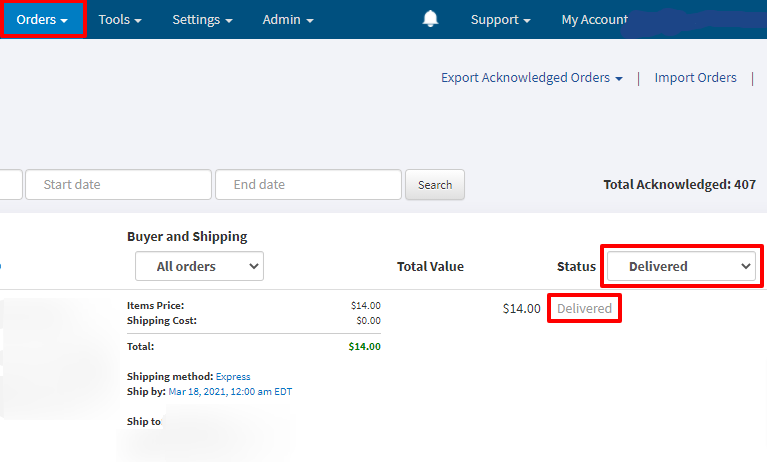
In addition to those four order statuses Created, Acknowledged, In progress, and Shipped, Walmart just introduced a new order status called Delivered. This status indicates that a customer received an order.

Walmart system assigns this status after it receives a confirmation from the carrier that the order was delivered. Please keep in mind that if you provide an incorrect tracking number Walmart will not be able to monitor the shipping and it may negatively impact your Seller Scorecard.

Enjoyed this post?

Check out our latest updates, follow our co-founder on LinkedIn for eCommerce insights, and sign up for our newsletter!