





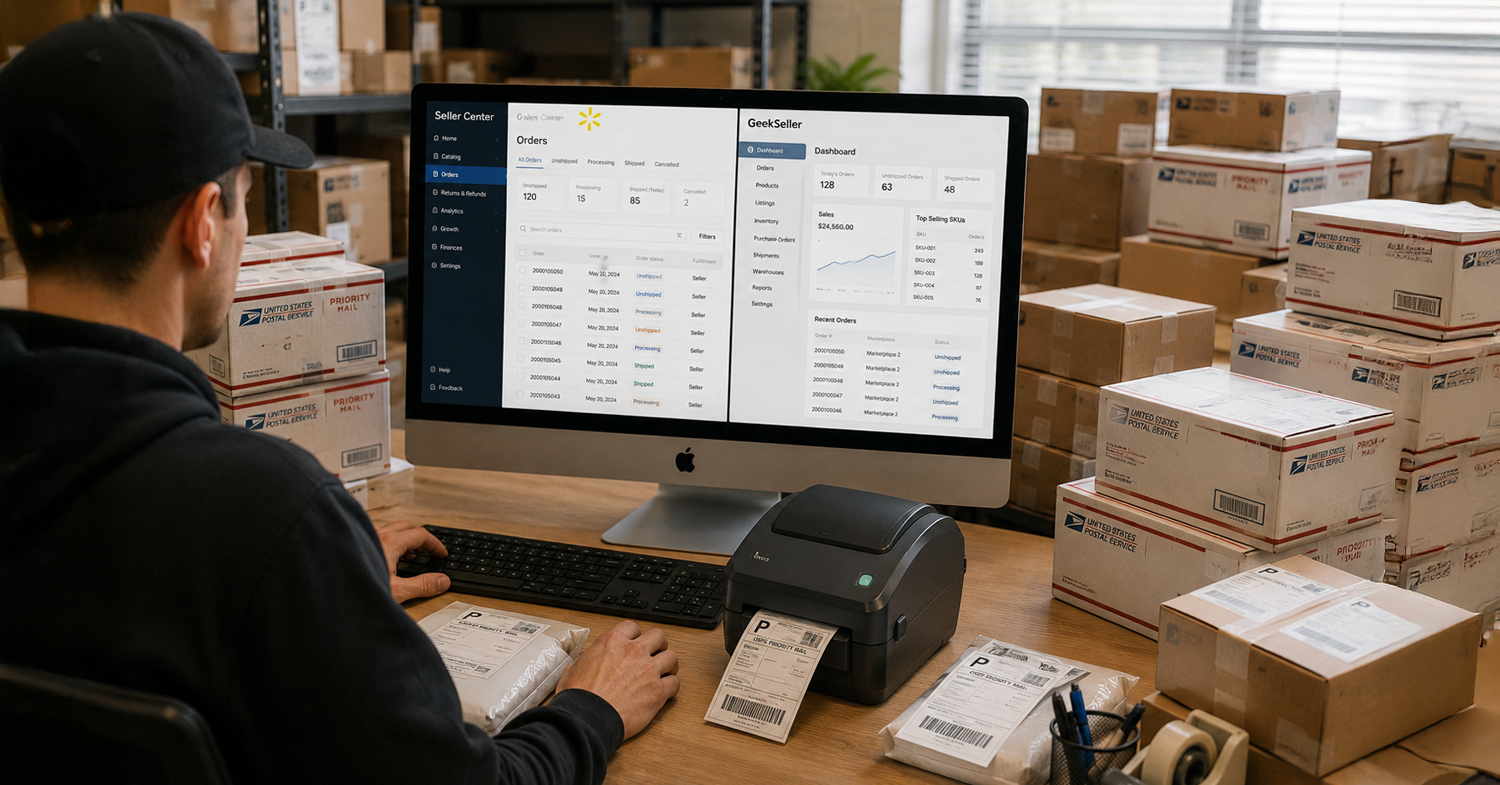
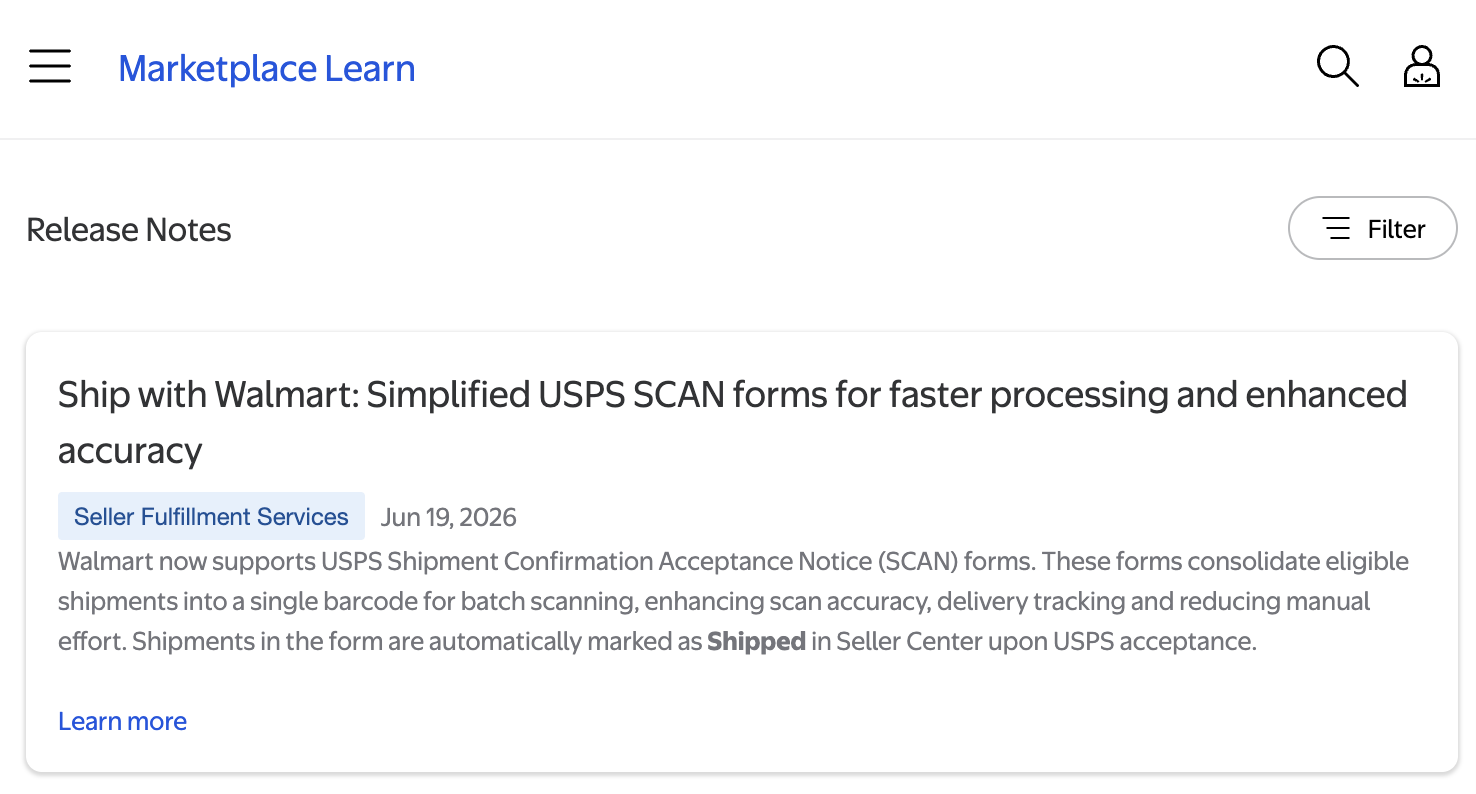
Walmart has announced support for USPS Shipment Confirmation Acceptance Notice (SCAN) forms in Ship with Walmart (SWW), making it easier for sellers to manage USPS shipments, improve tracking accuracy, and reduce the risk of late shipment issues.
This is a welcome improvement for Walmart marketplace sellers who use USPS for order fulfillment.
What Is Ship with Walmart (SWW)?
Ship with Walmart is Walmart’s built-in shipping label solution available to marketplace sellers. It allows sellers to purchase shipping labels directly through Walmart Seller Center at competitive rates from major carriers, including:
- USPS
- UPS
- FedEx
Many sellers choose SWW because it offers:
- Discounted shipping rates
- Integrated label purchasing within Walmart
- Shipment protection and insurance options
- Protection against certain fraud and delivery-related disputes
- Automatic tracking updates within Walmart
- Simplified shipping workflow
For many Walmart sellers, SWW is one of the easiest ways to purchase labels while helping maintain strong marketplace performance metrics.
What Is a USPS SCAN Form?
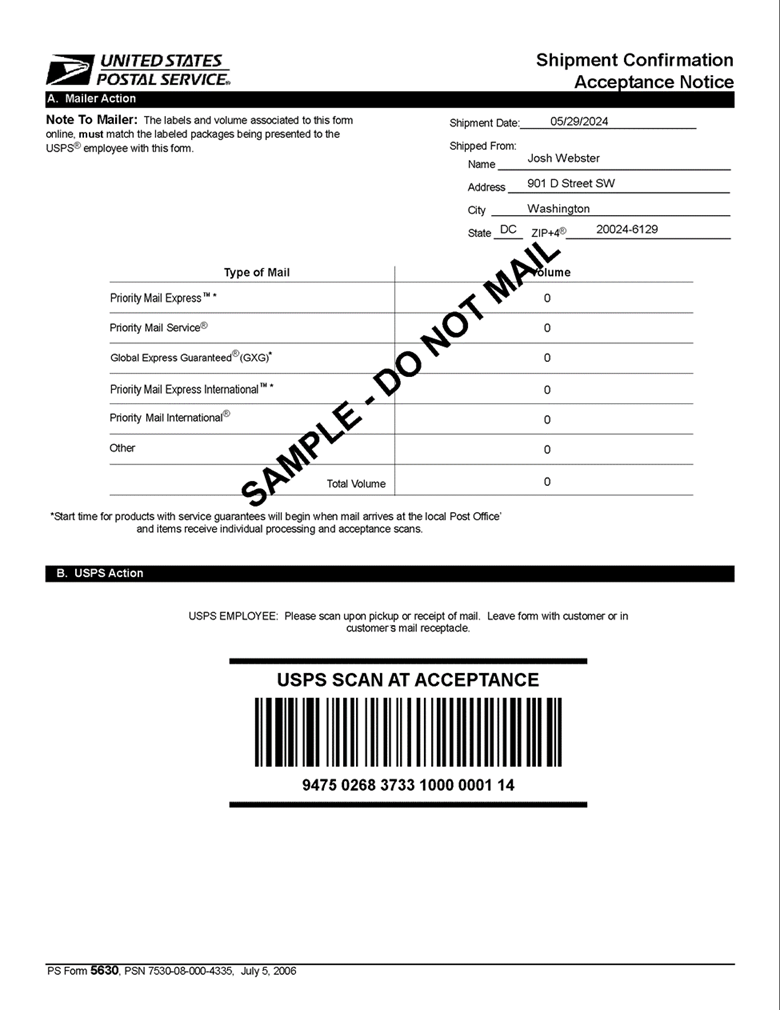
USPS SCAN stands for Shipment Confirmation Acceptance Notice.
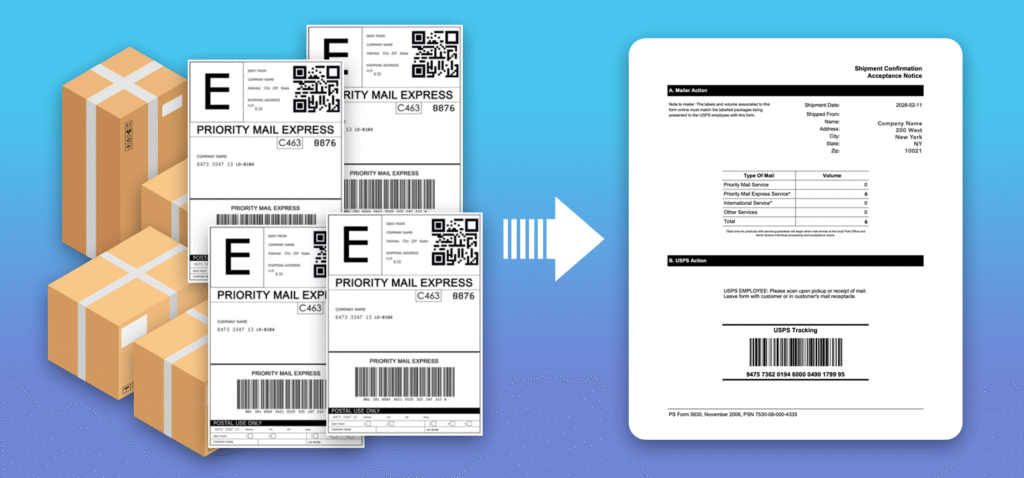
A SCAN form combines multiple USPS packages into a single barcode. Instead of USPS employees scanning every package individually, they can scan one SCAN form that confirms acceptance of all included shipments.
This is particularly important because USPS drivers and postal workers do not always scan every package at pickup or drop-off.
When packages are not scanned:
- Tracking may not show an acceptance event
- Shipments can appear delayed
- Sellers may receive late shipment concerns
- Performance metrics can be negatively impacted
- Customer confidence may decrease
With a SCAN form, USPS can scan a single barcode and all associated packages are marked as accepted by USPS at the same time.
How USPS SCAN Forms Work in Ship with Walmart
The new functionality allows sellers to generate USPS SCAN forms for eligible USPS shipments purchased through Ship with Walmart.
According to Walmart, the SCAN form:
- Consolidates eligible USPS shipments into a single barcode
- Improves scan accuracy
- Enhances shipment tracking visibility
- Reduces manual effort during USPS drop-offs and pickups
- Automatically marks included shipments as shipped in Seller Center once accepted by USPS
This means sellers no longer need to worry about USPS missing scans on individual packages when a SCAN form is used.
How to Generate a USPS SCAN Form in Ship with Walmart
After purchasing USPS labels through Ship with Walmart:
- Generate your shipping labels as usual.
- Navigate to the Orders section in Seller Center.
- Select eligible USPS shipments.
- Generate a USPS SCAN form.
- Print the SCAN form and provide it to USPS during pickup or when dropping off packages.
- USPS scans the single SCAN form barcode, confirming acceptance of all included shipments.
Once scanned, all packages associated with the form receive an acceptance event, improving tracking visibility and shipment confirmation.
Using SWW Through GeekSeller
GeekSeller integrates with Ship with Walmart through Walmart’s API, allowing sellers to purchase and manage SWW labels directly from the GeekSeller platform. Walmart SWW USPS SCAN forms can be downloaded from your Walmart Seller Center.
Many GeekSeller users already use Ship with Walmart because of its competitive rates, Walmart-backed shipping benefits, and streamlined workflow.
The addition of USPS SCAN forms is another valuable enhancement that can help sellers improve shipment tracking and maintain stronger Walmart marketplace performance metrics. By ensuring USPS acceptance scans are properly recorded, sellers can reduce issues caused by missed package scans and gain greater visibility into their shipping operations.
This is a small feature on the surface, but one that can have a significant impact on daily fulfillment workflows and seller account health.
